Select Version of EA Desktop:
The License module is for viewing and managing licenses. The main screen of the License module provides a view of the information related to the licenses from your search criteria. In addition to the main view, the module has an Editor View and a full screen view. For information about the Editor View, refer to Create a license.
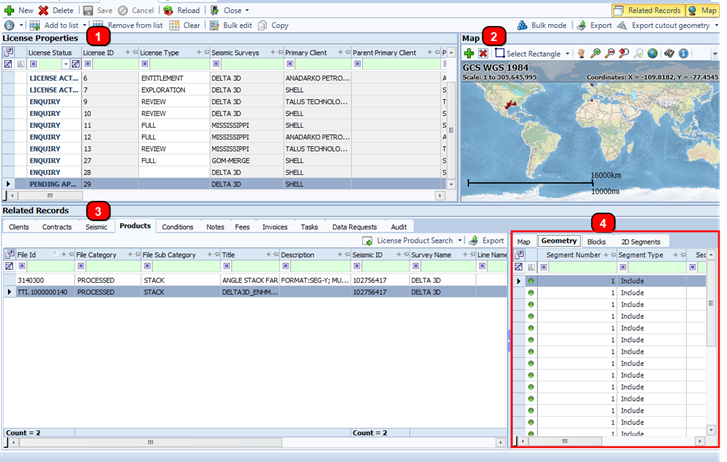
The main view is split into the following panes:
-
License Properties grid: Lists the licenses with the associated detail across various columns.
-
Map: Displays the location of licensed data.
-
Related Records: Displays information for the selected license in the License Properties grid. The Related Records panel includes several tabs with different categories of information.
-
The Products tab in the Related records panel includes a set of secondary tabs for viewing detail related to a selected product.